Standard 6K
H.264 · 8-bit · MP4
$3.12 / output minute

MORE POSSIBILITIES FOR YOUR FOOTAGE
Improve footage you already have and prepare it for your delivery or editing workflow. Choose Lite, Standard or Professional, with resolution, frame-rate and supported format settings through the LSF API.
Source aspect ratio · 15–120 FPS
H.264 · 8-bit · MP4
$3.12 / output minute
ProRes · 10-bit · MOV
$31.20 / output minute
Source up to 2K · Preserve source ratio
Base rates up to 30 FPS. Account pricing and billing rules apply.
6144 × 3456 at 16:9 · 4:2:0
Prepare compatible existing footage for high-resolution MP4 delivery.
Equivalent to $0.052 / billable second · billed by rounded output seconds
6144 × 3456 at 16:9 · 4:2:2
Download the original file for use in compatible editing and post-production software.
Equivalent to $0.52 / billable second · billed by rounded output seconds
Use a directly accessible source up to 2K: short side up to 1440 pixels and long side up to 2560 pixels. Retain its aspect ratio and source FPS, or select 15–120 FPS. Use a directly readable HTTP(S) URL, finite positive duration and source FPS greater than 0 and no higher than 120. Omit return_last_frame entirely, including false. Supported inputs and settings →
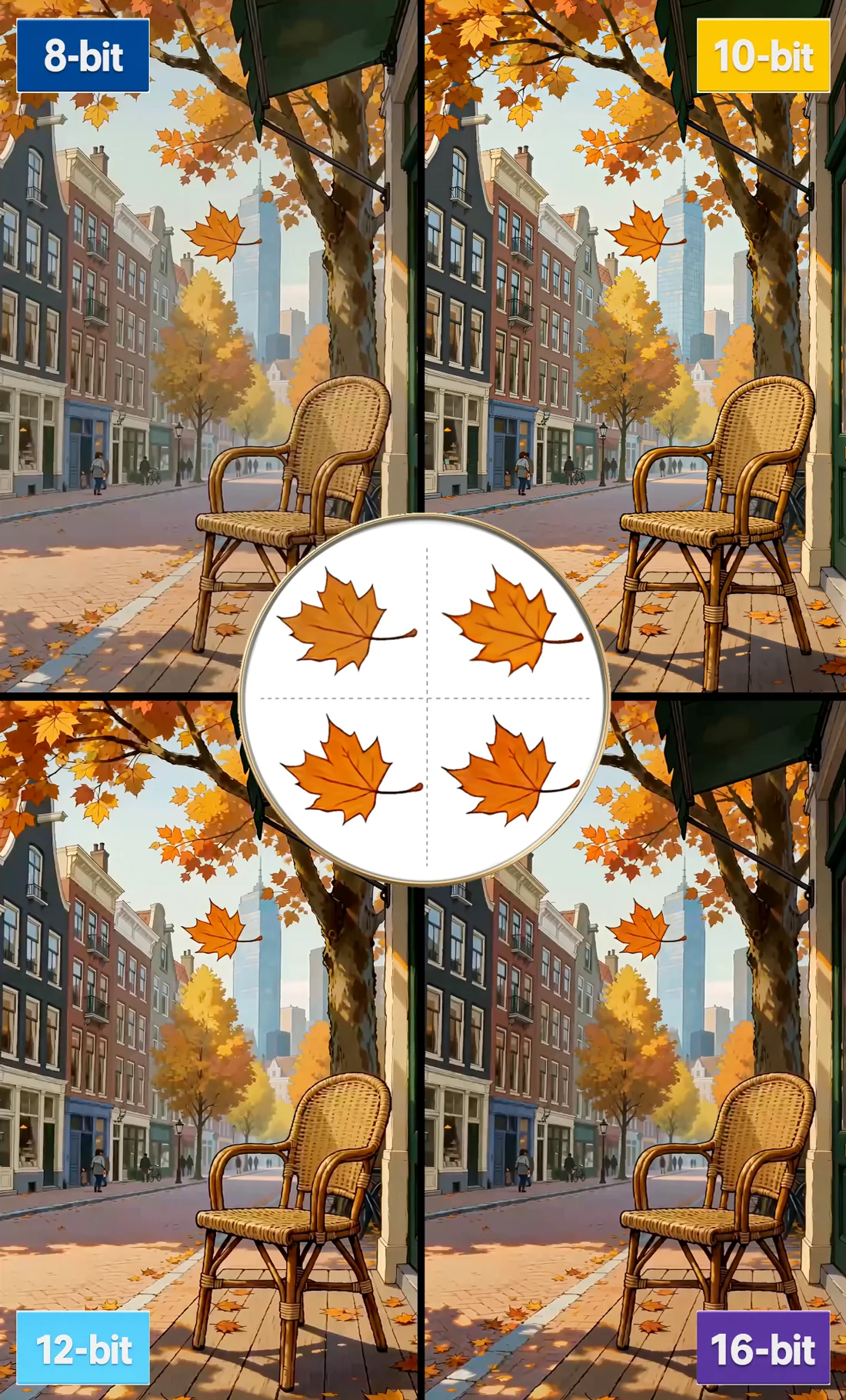
ProRes requires compatible editing software and additional storage and download time. A higher bit depth does not by itself guarantee HDR, lossless preservation or additional source detail.
Prices shown are base rates; your agreed account rate applies. Billing uses the output duration reported in your task result, rounded up to the next whole second. The final charge may differ from the initial estimate. Rates shown cover up to 30 FPS; above 30–60 FPS costs 2×, and above 60–120 FPS costs 4×. No one-minute minimum charge applies.
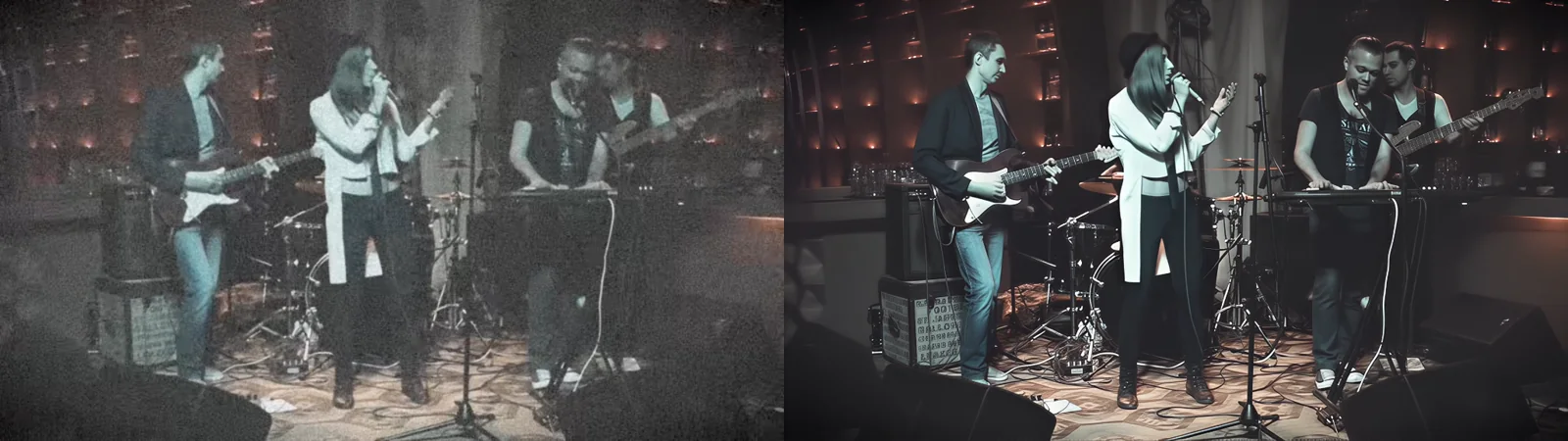
01 / RESTORE
Improve clarity and reduce visual noise in older recordings. Give existing footage a clearer finish for reuse in new projects.
02 / UPSCALE
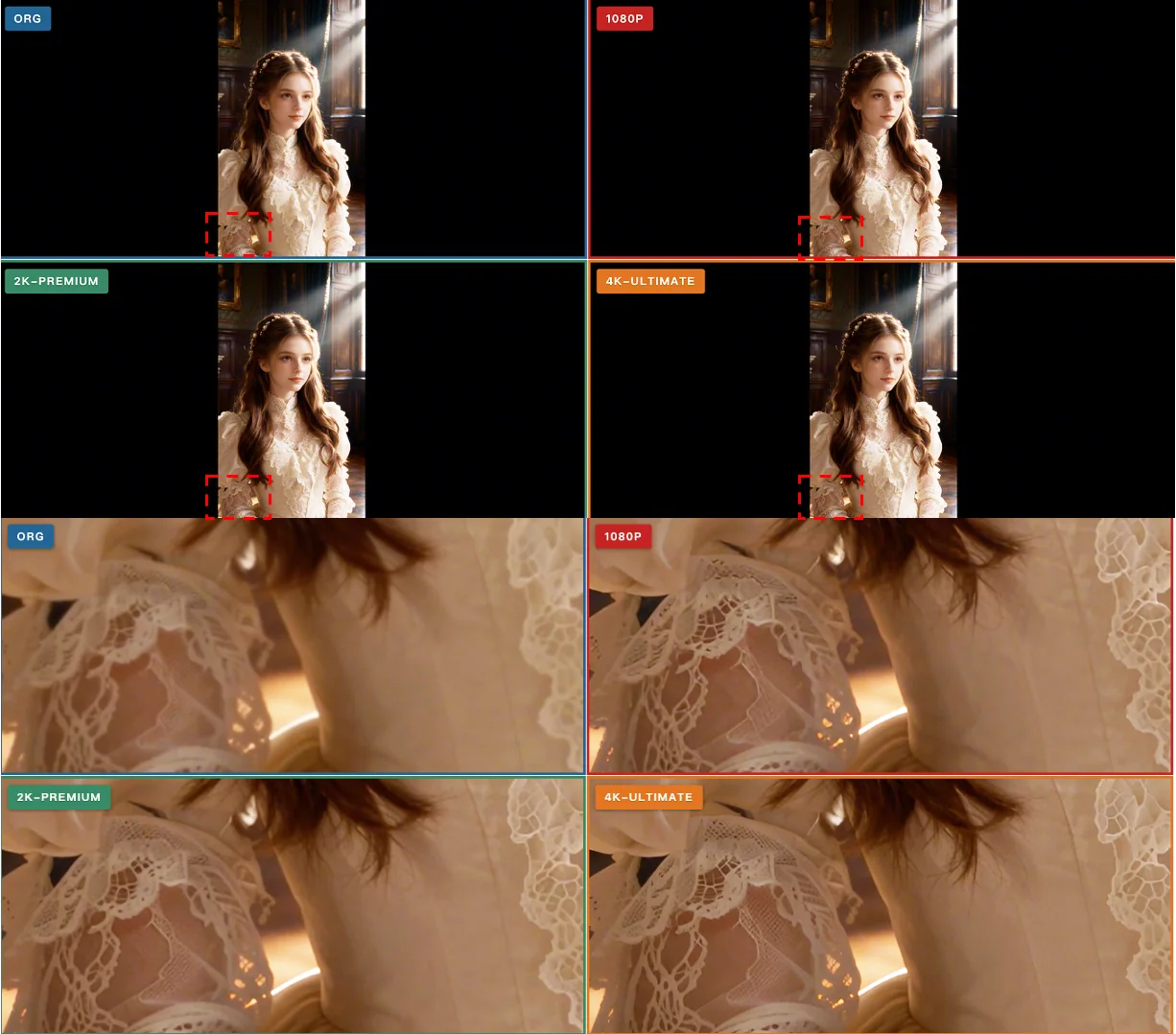
Prepare your videos for larger displays and higher-resolution delivery. Compare the source and output details below.
8K is also supported on Standard and Professional when enabled for your account.
03 / STYLE
Select Natural or HD to suit the finish you want. Both styles are available with Standard and Professional.
Standard also includes scene settings for AI-generated videos, user content, short series and old film.
04 / OUTPUT
Choose FPS and bitrate settings supported by your output profile. Preserve the source frame rate or choose 15–120 FPS, including for 6K output. ProRes does not use bitrate controls.
Professional 6K delivers ProRes 10-bit 4:2:2 MOV for compatible editing workflows.
Use the documented format for each resolution; 6K ProRes does not imply ProRes support at every resolution. A higher bit depth does not guarantee HDR, lossless preservation or additional source detail.
OPTIONS & PRICING
LITE
Upscale to 4K with adjustable FPS and bitrate.
For straightforward enhancementSTANDARD
Scene and Natural / HD style controls, including 6K H.264 MP4 output.
Up to 8K when enabledPROFESSIONAL
Professional output settings, including 6K ProRes 10-bit MOV for compatible editors.
Up to 8K when enabledSTANDARD · UP TO 30 FPS
Compare all prices ↗Billed by actual output duration, rounded up to whole seconds. No one-minute minimum. Higher frame rates use higher pricing multipliers.
BUILT FOR YOUR WORKFLOW
Submit a publicly accessible source-video URL.
Select a tier, resolution and supported controls.
Download the enhanced video when processing completes.
Yes. You can submit existing footage, including videos from other generation tools, through a public source-video URL that meets the supported media requirements.
Video Enhancement improves a video you already have. LSF Production creates a new Seedance 2.5 video and delivers it at your selected output resolution.
Choose Lite for resolution, FPS and bitrate controls; Standard for scene settings and Natural / HD styles; or Professional for compatible color-depth options and the new 6K ProRes MOV profile. Available outputs depend on the options enabled for your account.
Choose Standard H.264 MP4 for delivery, or Professional ProRes 10-bit MOV for a compatible editing workflow. Both preserve the source aspect ratio.
Use a directly accessible source up to 2K, with a short side up to 1440 pixels and a long side up to 2560 pixels. Output retains its aspect ratio. Use a direct HTTP(S) URL with finite positive duration and source FPS greater than 0 and no more than 120; asset:// is not supported here. View the exact API settings →
Keep the task ID and download the same result again. You do not need to create a new video. Save completed files promptly because download access is temporary.
ProRes MOV is intended for compatible editing software. Download the original file and allow sufficient storage and transfer time; browser playback is not universal.
Audio format and timing may differ slightly from the source. Check the downloaded file in your editor. Retain the original audio for projects requiring an unchanged soundtrack.
Yes. Omit fps to retain the source frame rate, or choose an output rate from 15 to 120 FPS. The initial estimate uses the highest FPS band when omitted; the final charge uses the actual output FPS band.
Pricing depends on the tier, resolution, frame rate and actual output duration rounded up to whole seconds. All supported profiles, including 6K, use 1× up to 30 FPS, 2× above 30 through 60 FPS, and 4× above 60 through 120 FPS. There is no one-minute minimum charge.
Share your source format, target output and expected volume. LSF will help confirm the right profile and account setup.
Discuss your project