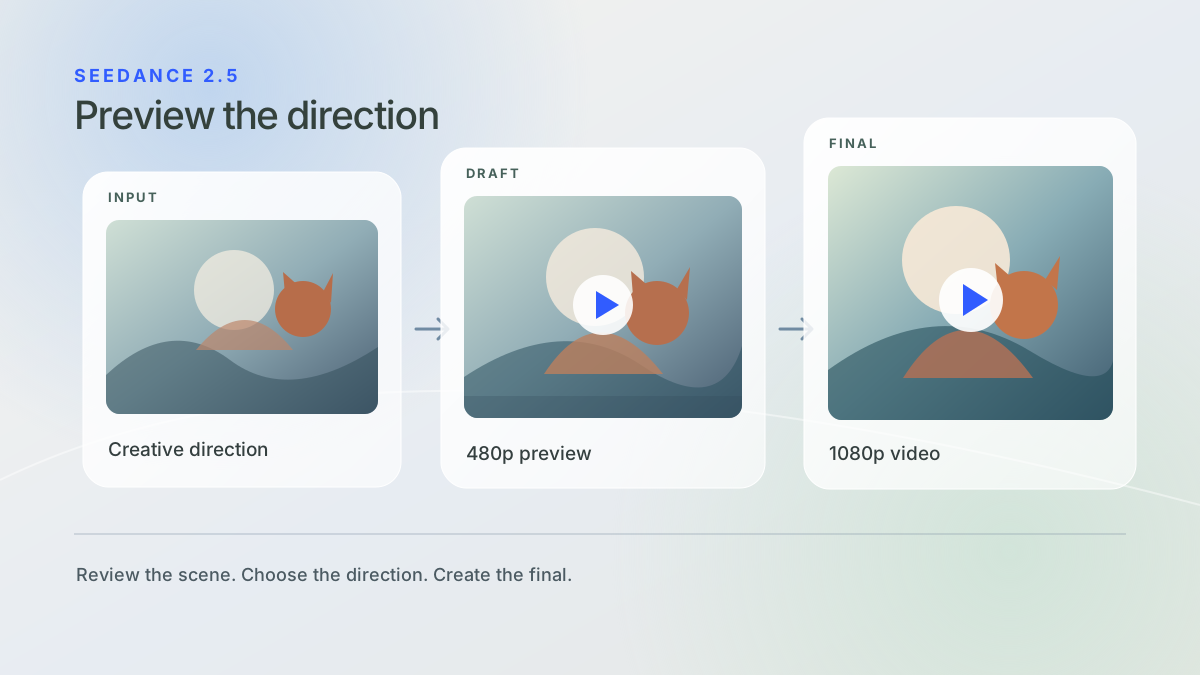
A still image may suggest the right scene, but movement can tell a different story. The timing may be off, a camera move may change the mood, or an interaction may need another attempt. Seedance 2.5 Draft Mode lets you review those decisions in video before creating the final 1080p result.
Through the LSF API, the workflow has two generation tasks: create a 480p Draft, review it, then use its task ID to request a separate 1080p Final.
How does Seedance 2.5 Draft Mode work?
Start with a prompt and any supported reference assets, as you would for a Native Seedance 2.5 generation. Request a 480p Draft to see the scene develop over time. Review the framing, subject motion, pacing and overall direction in an actual video.
When the Draft works for your project, use its task ID to create the 1080p Final. The final task carries forward the Draft’s core generation settings, including the prompt and input assets. If the Draft does not work, adjust the original request and make another Draft.
The Final is a separate generation task. It does not enhance or upscale the Draft video file.
When is a 480p Draft useful?
Draft Mode is useful when motion matters as much as the opening frame. A product reveal, character interaction or multi-shot scene may need the right timing to work. A preview gives your team a chance to judge the result before requesting the final output.
It also creates a clear review point for a team. A creative lead can check the scene’s direction, a product team can assess whether it fits the experience, and a developer can retain the chosen Draft task ID for the Final request.
Is Seedance 2.5 Draft Mode billed separately?
Yes. The Draft and Final are billed as separate generation tasks. The Draft is billed as a 480p generation, and the Final is billed as a 1080p generation. If you would otherwise go straight to a successful 1080p result, adding a Draft adds another charge.
The workflow can be valuable when you expect to test multiple directions before selecting one Final. That does not mean every project will cost less. Estimate spend using your applicable LSF rates, request settings and the number of attempts your team expects to make. See LSF pricing for current published rates.
What should developers keep in mind?
Keep the Draft task ID after the Draft succeeds. You need it to create the Final, and it remains valid for seven days from the Draft task’s creation. If it expires, create a new Draft before requesting a Final.
A Final generated from a Seedance 2.5 Draft currently supports 1080p output. The model reuses core settings from the Draft. Follow the LSF API documentation for the exact Final request fields; repeating settings that are reused automatically can cause a request error.
Draft Mode is part of the Native Seedance 2.5 workflow. LSF Seedance2.5 Production is a separate managed generation and enhancement product for supported 1080p, 2K and 4K delivery. A Draft Mode Final should not be described as a Production output.
Build with Seedance 2.5 Draft Mode through LSF
Create a 480p preview, decide whether the scene works, then request the 1080p Final for the direction you want to keep. This gives your application a deliberate review step between an idea and its finished video.
Explore Native Seedance 2.5 or contact LSF to plan the workflow for your product.